New Feature Alert! Editing Manifest Signatures

Written by Cyndi Arnold
Updated on Jun 29, 2026
Overview
Wastebits now allows authorized users to edit the signature and date for any signature entity on a manifest: Generator, Transporter, or Waste Facility. This is useful when a signature needs to be corrected or updated after it has been applied.
Note: This feature is not available for Hybrid manifests.
1. Accessing the Signatures Tab
- Open the manifest you need to update.
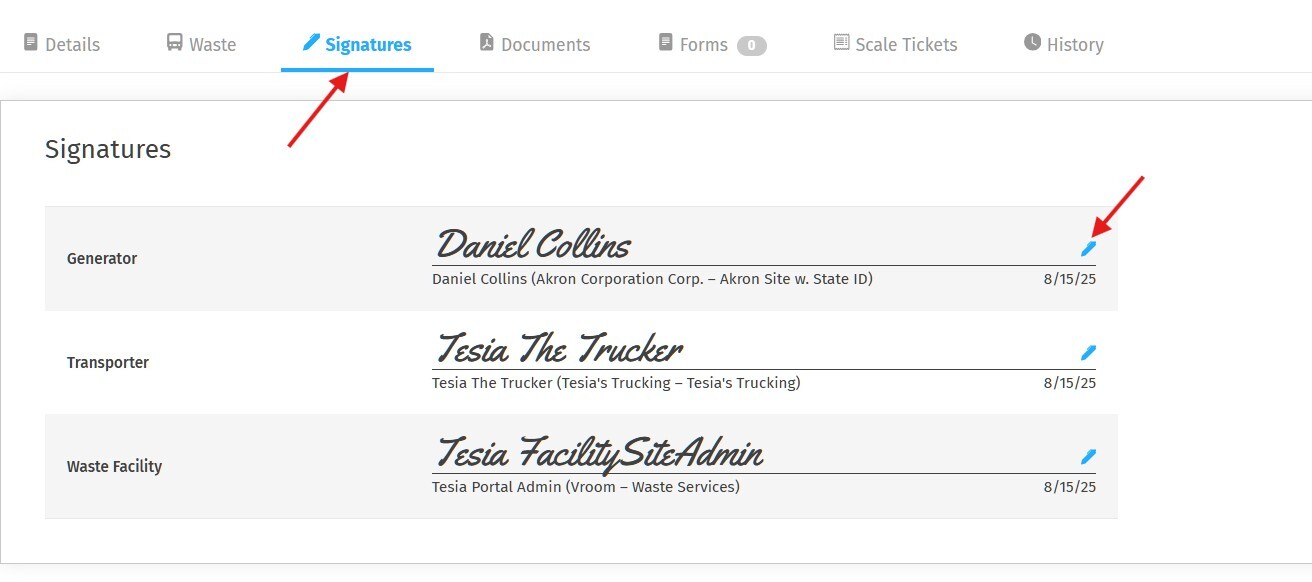
- Click on the Signatures tab in the manifest navigation bar.
You will see all signature entities listed: Generator, Transporter, and Waste Facility, along with the name, company, and date for each.
2. Editing an Existing Signature
- Locate the signature entity you need to update.
- Click the blue pencil icon on the right side of that signature row.
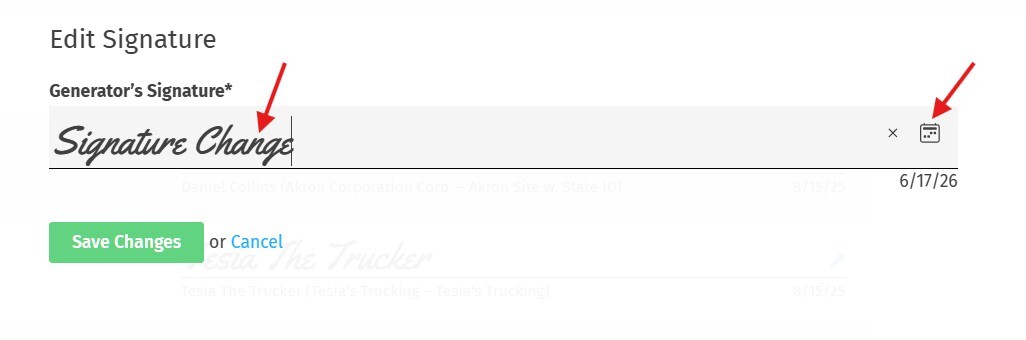
- The Edit Signature panel will open, displaying the current signature and date.
- Update the signature text and/or the date as needed.
Click Save Changes to apply, or Cancel to discard.
3. Editing the Date at Time of Signing
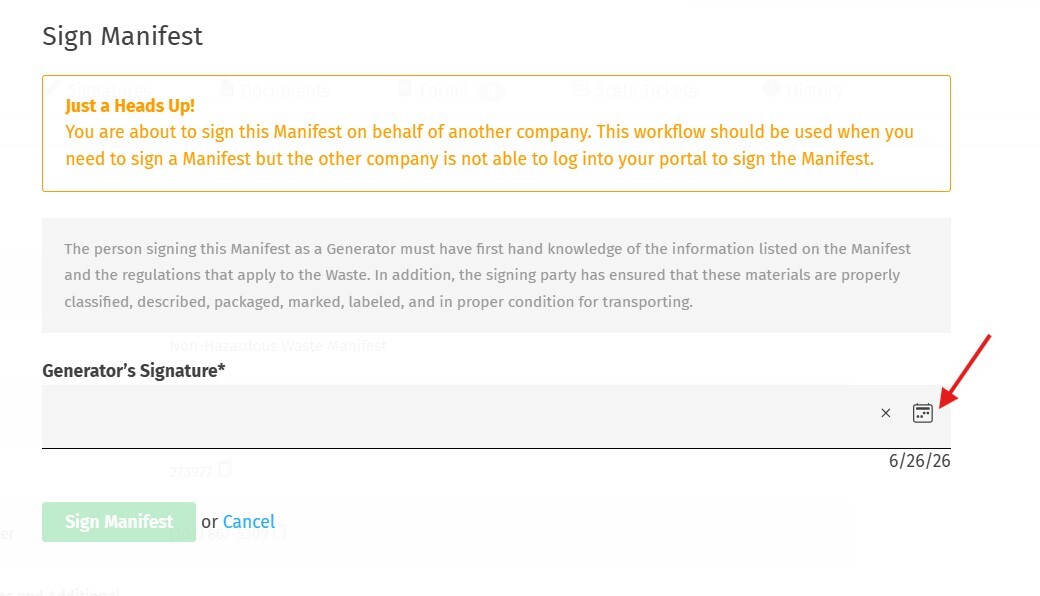
When signing a manifest for the first time, you also have the option to adjust the signature date before submitting. The date field is editable at the point of original signature, click the calendar icon in the signature field to select a different date if needed.
Note: When signing on behalf of another company (proxy signing), the same editing options apply. A heads-up banner will remind you that you are signing on behalf of another party.
4. Who Can Help?
If you have questions about manifest signatures or need assistance, contact:
Wastebits Support
help@wastebits.com
(844) 724-0200